
When your TooSIM travel eSIM expires, the digital profile will not be automatically removed from your phone. It will still appear in your settings, but you won’t be able to use it to access the internet. To avoid confusion you should delete it manually through your phone’s settings. Here’s how to do it on Apple and Android devices.
How to Delete an eSIM Profile on iPhone
The removal process takes less than a minute and doesn’t require an internet connection. All steps are done directly in your phone’s settings:

Open «Mobile Data» (or «Cellular», depending on your region and iOS version).

- Select the travel eSIM plan you want to remove. Important: Make sure you’ve selected the correct digital profile and that you no longer plan to use it. Restoring a deleted eSIM can take time and will require contacting customer support.
- Tap «Remove Mobile Data Plan» (or «Delete eSIM»).
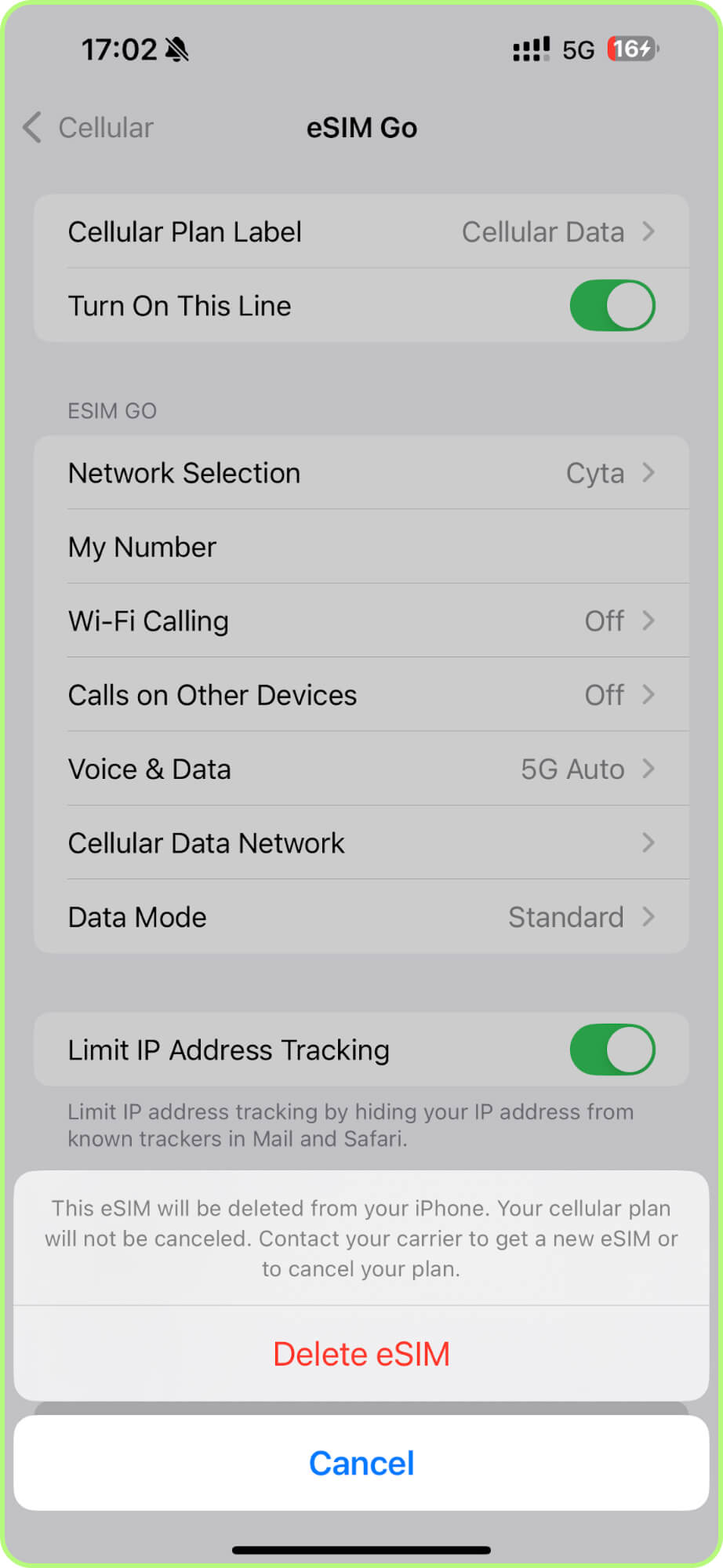
Confirm the deletion when prompted.
The digital profile should disappear immediately. Restarting your phone is not necessary.
How to Delete an eSIM Profile on Android
Regardless of your smartphone brand (Huawei, Samsung, Nokia, and others), you can follow the instructions below. The section names may vary slightly depending on your device. All actions are performed in your phone’s settings:
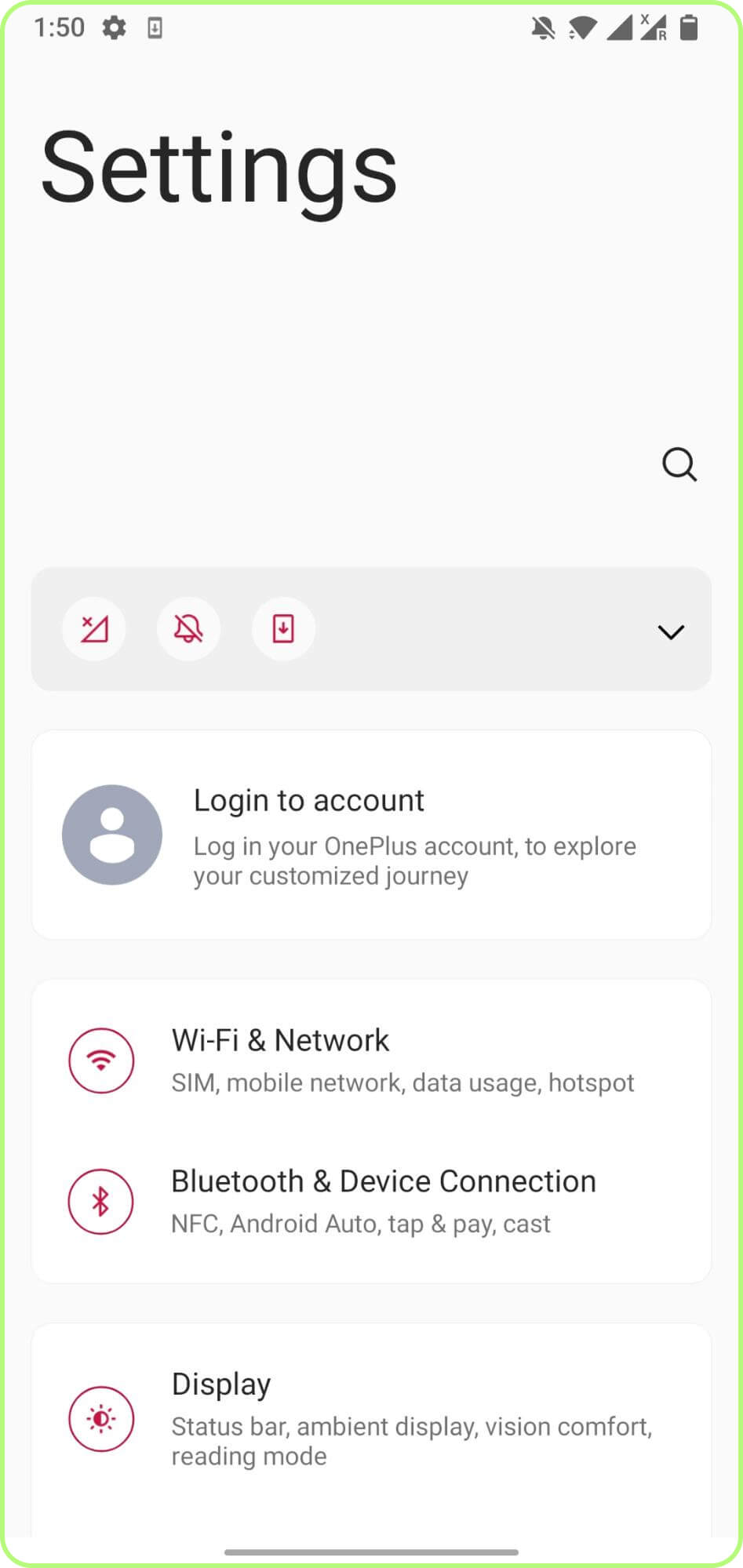
Go to «Wi-Fi & Network» or «Connections» (the name may vary depending on your device model).
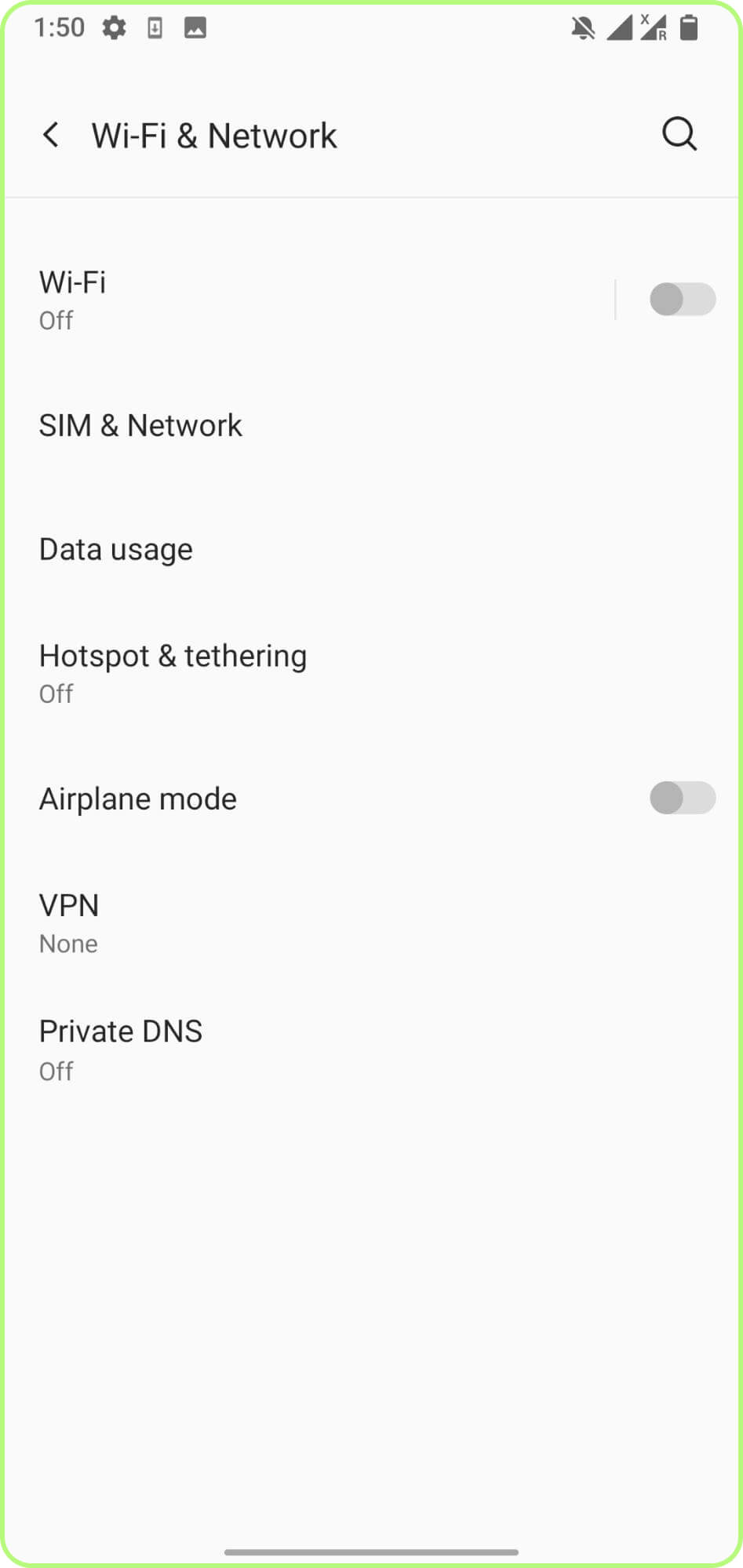
Tap «SIM & Network» or «SIM Manager».
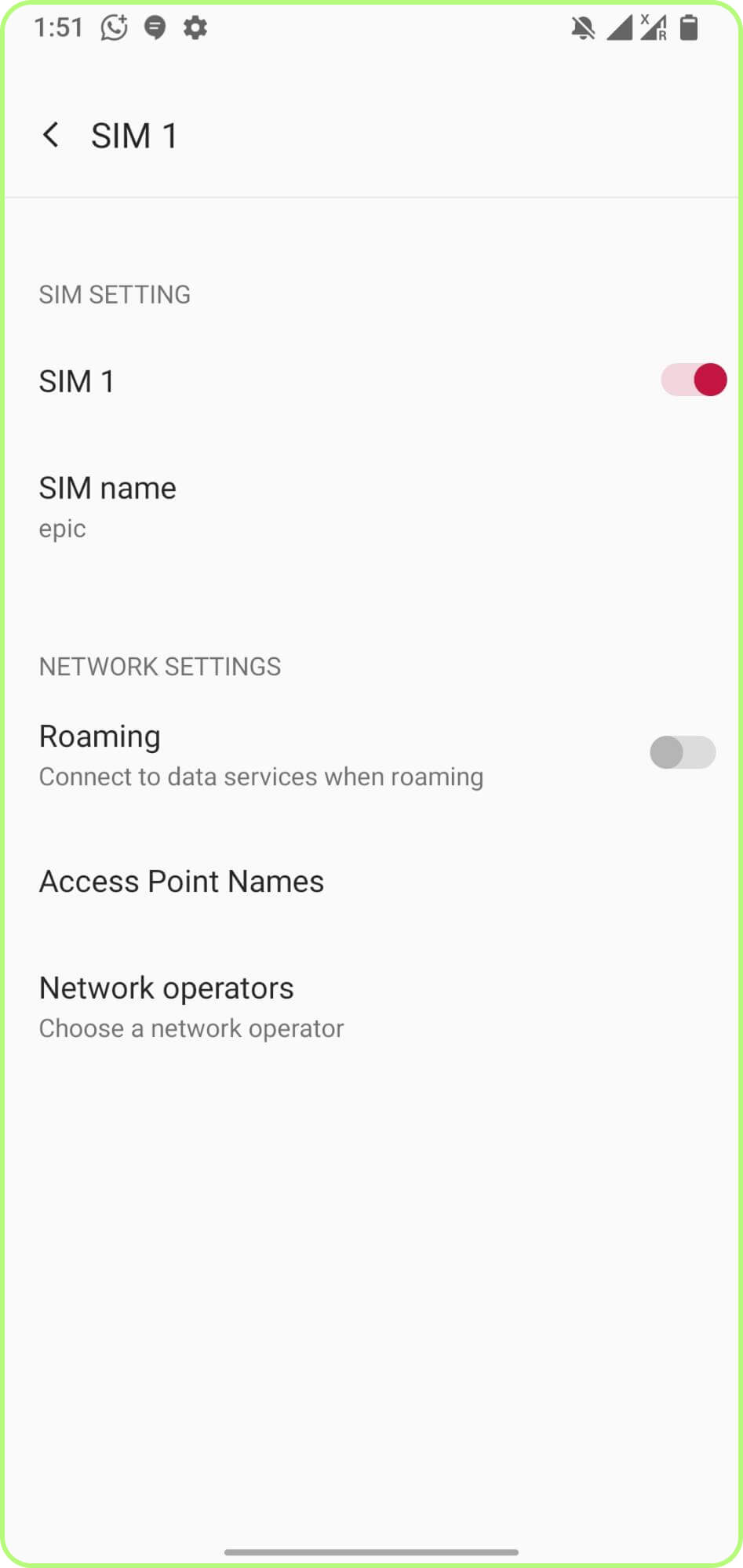
Select the eSIM plan you want to remove and hold it. Alternatively, on some models, you may need to tap the three dots in the upper-right corner.
Tap «Delete» or «Remove».
Confirm the deletion when prompted.
Important: On some models this method may not work. As an alternative, open your phone's «Settings», type «eSIM» in the search bar, and go to the suggested menu, where you’ll find the option to remove it. On some models you may also find a «Delete» option in «About phone», in the «SIM status» tab.
Conclusion
The virtual profile needs to be deleted manually through the settings, but it’s a quick and easy process. Make sure not to delete the wrong profile, and double-check the name if you’re using multiple SIMs at the same time. If you run into any issues, you can contact TooSIM technical support through the app or WhatsApp.