
If you plan to use roaming from your home carrier or buy a local SIM in a new country, that’s straightforward – you can handle it after you arrive. But when is the best time to purchase a travel eSIM? We’ll explain how to ensure you have internet access right at the airport or within minutes of crossing the border, without any extra charges. We’ll also share tips and step-by-step instructions for activating your eSIM so your trip goes smoothly with a stable mobile internet.
Best Time to Buy a Travel eSIM
You can purchase your eSIM a few weeks before your trip once your travel dates are confirmed and your flight tickets are booked. After that, a QR code for activation will be sent to you, but you do not need to install the eSIM immediately. The recommended window is to activate it within 40 days.
Once you have purchased a TooSIM prepaid eSIM, you can find your QR code in your account dashboard, either on the website, in the TooSIM app available on the App Store and Google Play, or in the confirmation email.
We also recommend activating your eSIM before your trip, not after arrival. This way, you will have the internet as soon as you land at the airport or cross the border if you are traveling by car or bus. Your plan’s validity will only start once you turn on the eSIM in the new country, so no days of your plan will be lost and no data will be deducted. Optimal plan of action:
- A few weeks before your trip, choose the plan that suits you best, including the country, number of days, and amount of data, and purchase it.
- Install the eSIM either immediately or a few days before your trip. We have step-by-step activation instructions here: iPhone – link, Android – link.
- Once installed, turn off the eSIM. Important: do not delete the digital profile, just disable it.
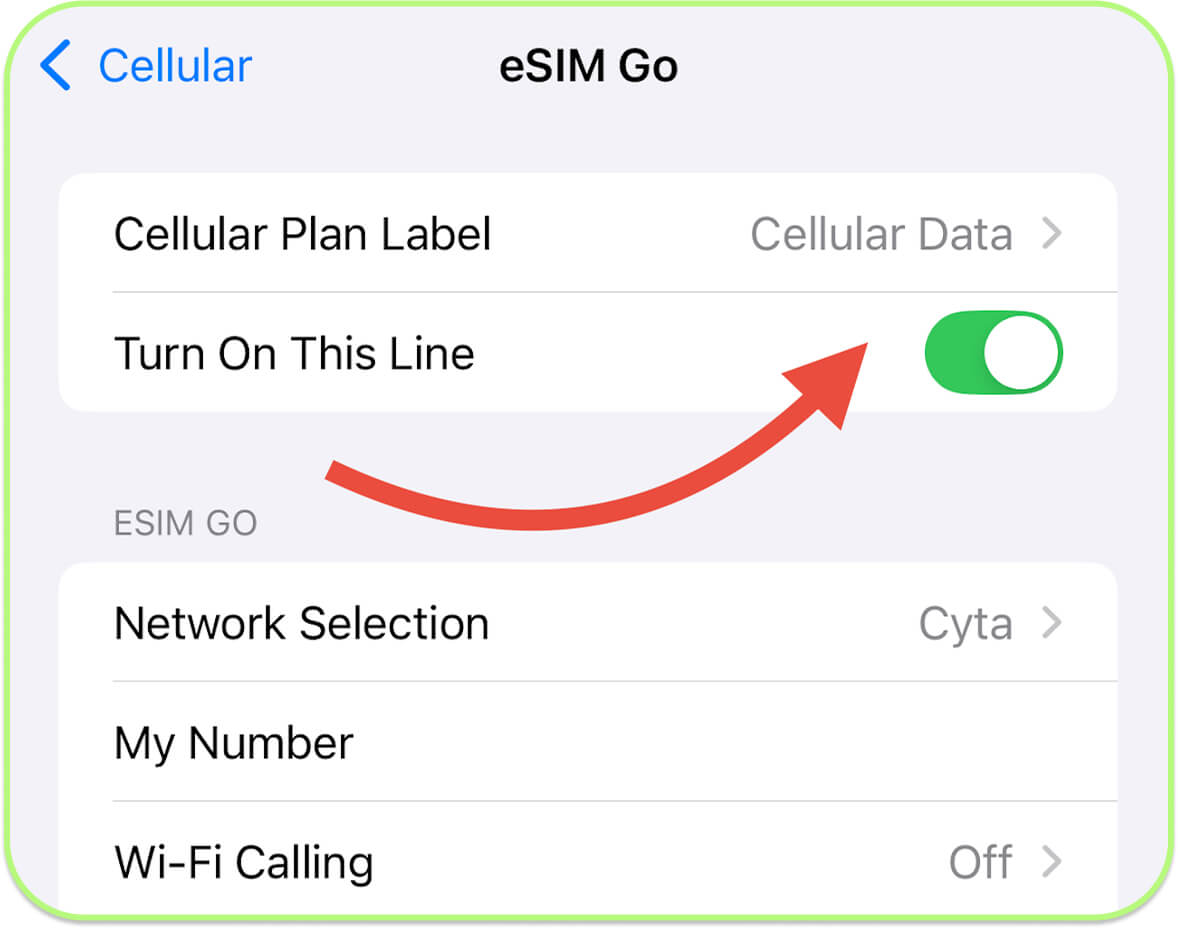
How to disable the eSIM on iPhone: Open «Settings», tap «Cellular»/«Mobile Data», select the eSIM, and choose «Turn Off This Line».
How to disable the eSIM on Android: Open «Settings», tap «Network & Internet»/«Connections», tap «SIM cards»/«Mobile Network», select the eSIM you want to disable, and toggle it off or tap «Disable».
Turn off roaming. While this option is off, the SIM will not connect to any network. You will need to enable roaming once you arrive in the new country.
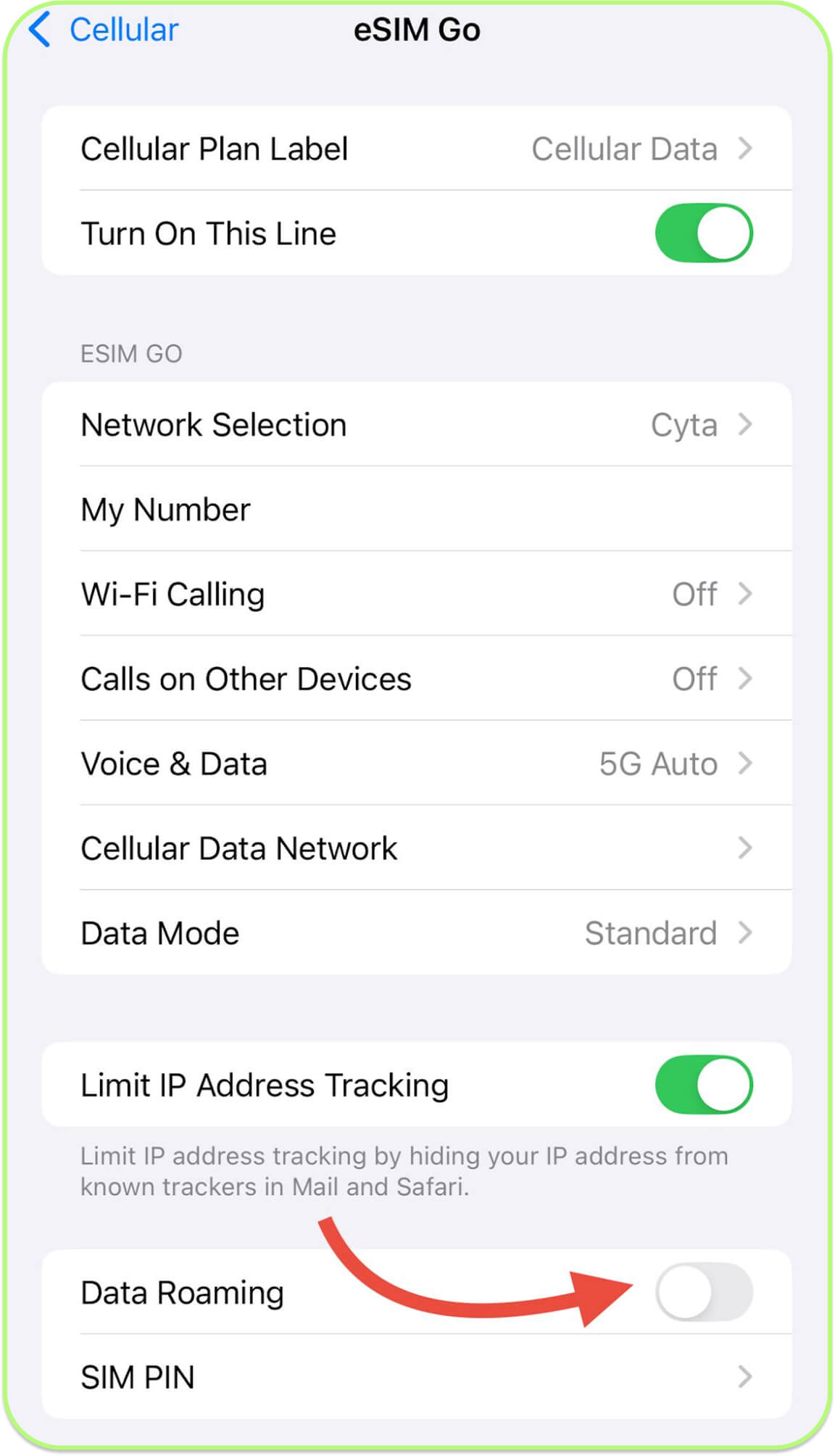
On iPhone: Open «Settings», tap «Cellular» or «Mobile Data», choose «Cellular Data Options» and toggle «Data Roaming» off.
On Android: Open «Settings», tap «Network & Internet»/«Connections», tap «Mobile Network»/«SIM cards» and toggle «Data Roaming» off.
Upon arrival in the new country, turn on your eSIM and enable roaming. Everything is done through «Settings», following the same steps as in the previous instructions.
How Long Is an eSIM Valid After Activation?
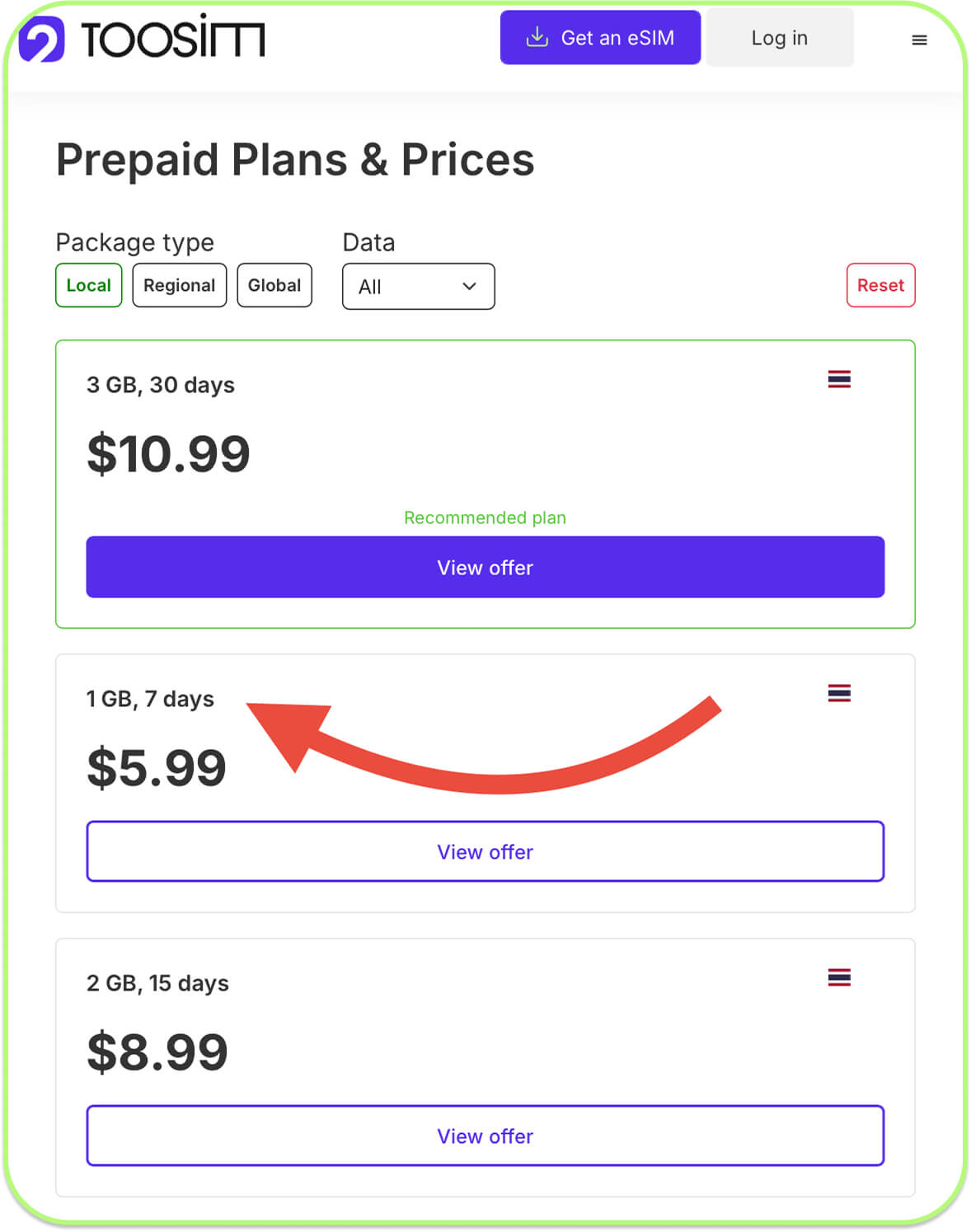
The countdown of your plan will start not from the moment you activate the eSIM, but when you turn it on in the new country. The validity period of the eSIM depends on the plan you choose. For example, with TooSIM, the minimum plan of 1 GB is valid for 7 days, 2 GB for 15 days, and plans from 3 to 50 GB are valid for 30 days. You can check the validity period in the plan description when purchasing. For example, below you can see the durations of different plans for Thailand.
With TooSIM, you can also activate longer-term plans, for example, up to 180 days with the maximum amount of data. This option is especially popular among digital nomads who plan to live in a new country. Read more about long-term esim plans.
Conclusion
It is best to purchase and activate your travel eSIM ahead of your trip to avoid last-minute stress and ensure guaranteed internet access for setup. The countdown of your plan will only begin once you arrive in the new country and turn on roaming. However, we recommend activating your eSIM no later than 40 days after purchase. It is also important to turn off the eSIM and disable roaming in your smartphone settings before you arrive in the new country.